 JK Codes
Speak. It types. Nothing leaves your PC.
Curlew is offline voice dictation for Windows. Hold a key, say what you mean, release, and the words land at your cursor in Word, your browser, Slack or a terminal. Whisper and NVIDIA Parakeet speech models run entirely on your CPU.
No account, no cloud, nothing to sign up for.
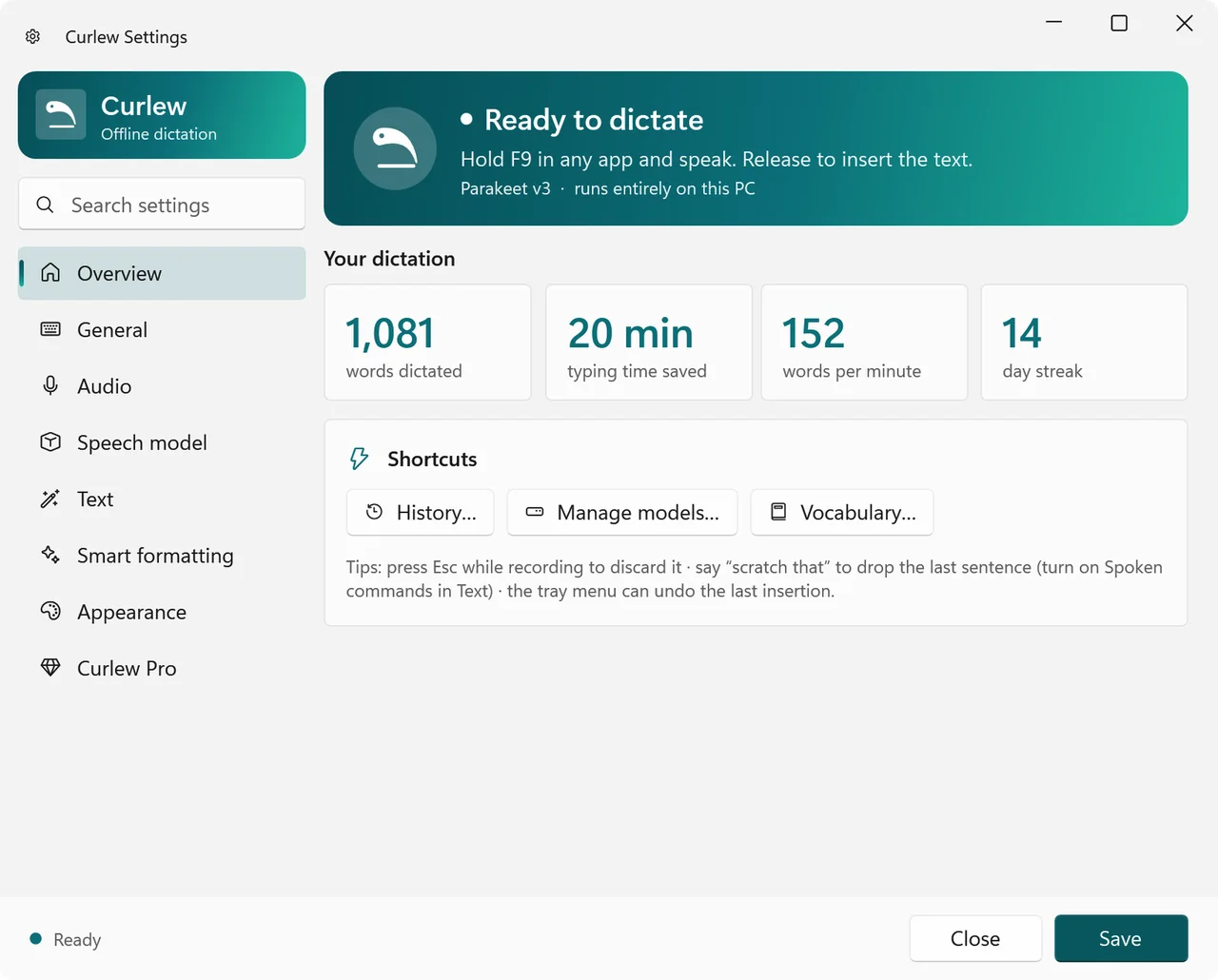

Three steps. No setup screens after the first run.
1. Hold F9
Or any key you choose. Hold-or-tap, hold-to-talk and toggle modes. A small overlay at the bottom of the screen shows a live waveform so you know it is listening.
2. Speak naturally
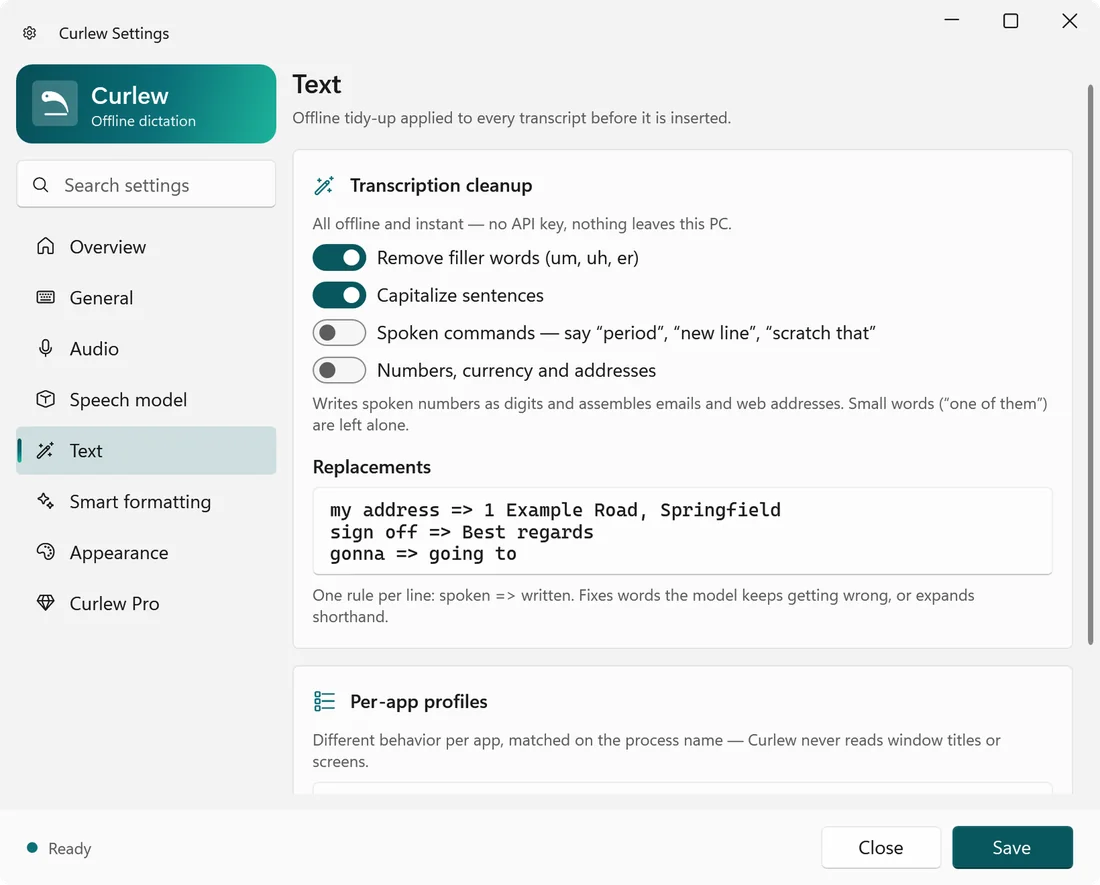
Curlew transcribes on your CPU with Whisper or NVIDIA Parakeet. Say "period", "new line" or "scratch that" and it does the right thing. Filler words are removed.
3. Release
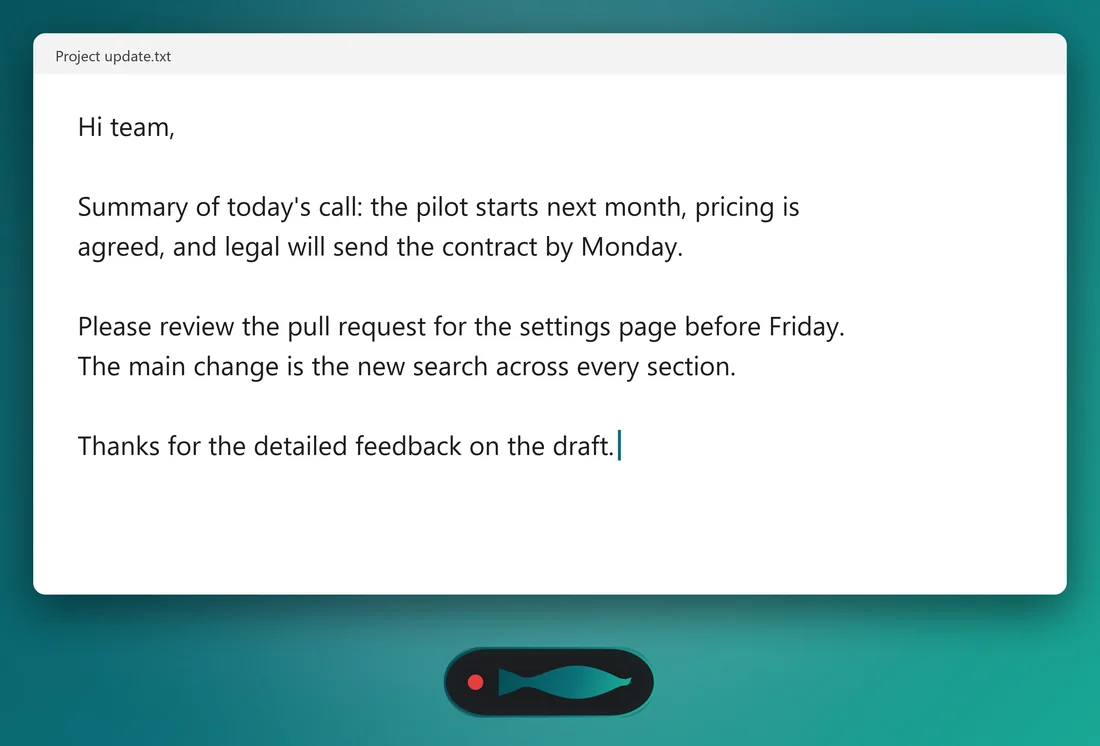
Clean text appears at the cursor in whatever app is focused. Press Escape before release to discard. Undo the last insertion from the tray if you change your mind.
Dictation that understands where you are typing.
Everything here works without an internet connection. The one optional feature that uses the network is clearly marked.
Two engines, ten models
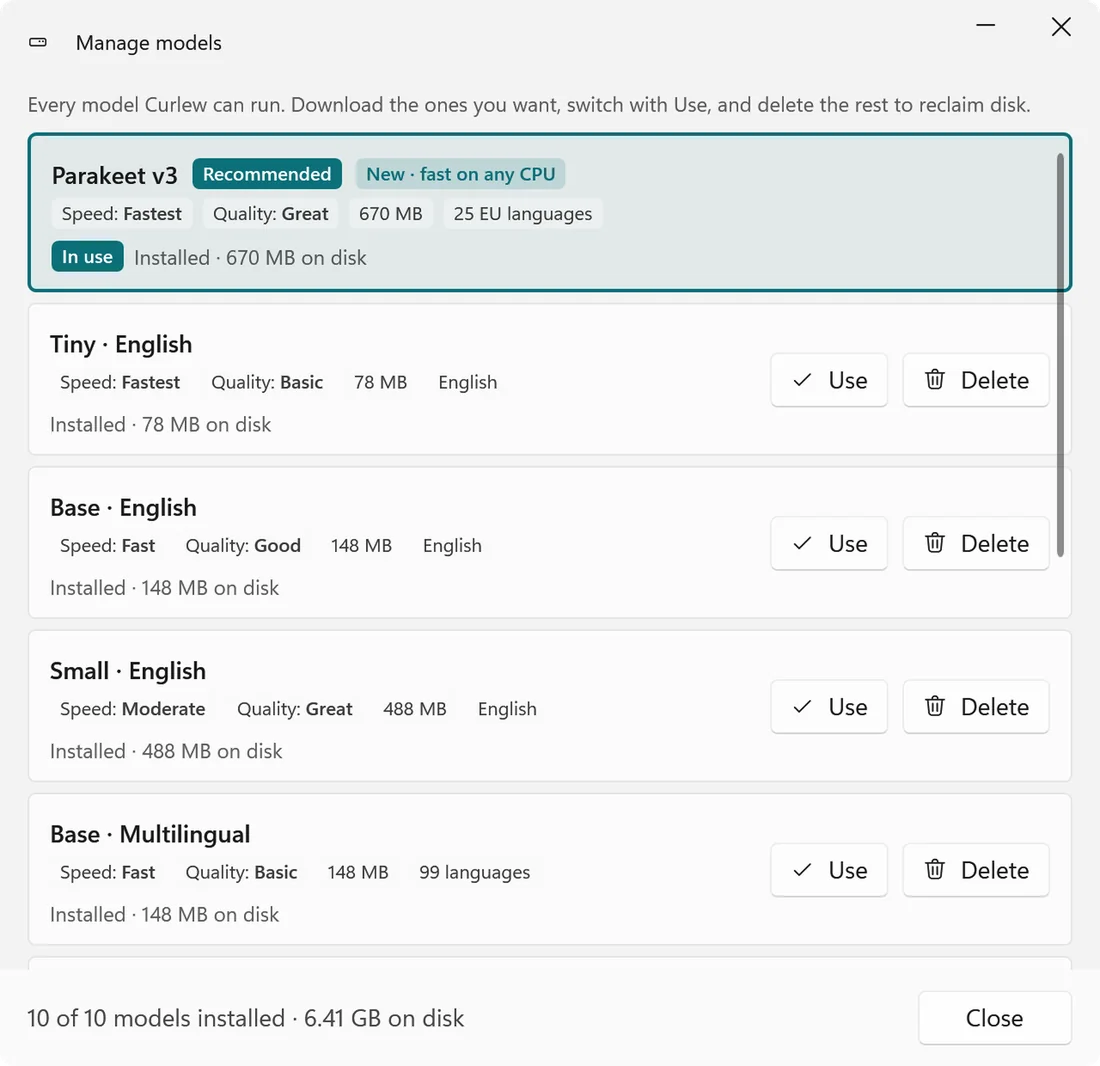
OpenAI Whisper and NVIDIA Parakeet TDT, from a 78 MB Tiny model to Large v3 Turbo. Download, switch and delete models inside the app.
Smart formatting, offline
Sentence capitalisation, spoken punctuation, numbers, currency and email addresses formatted by a local rules engine. No API key required.
Per-app profiles
Raw text in terminals and code editors, full prose in Word and browsers. Output styles for email tone, bullet points and code comments.
Custom vocabulary
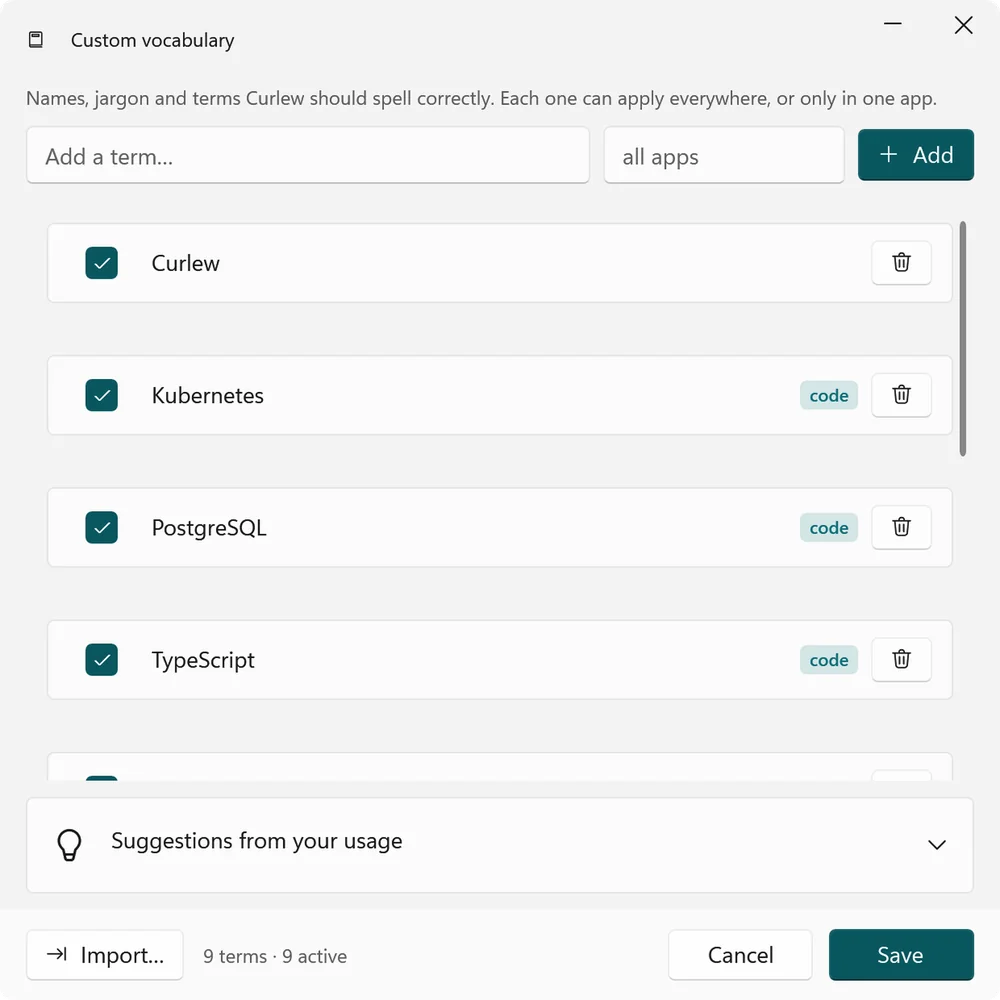
Teach it names and jargon, scope them per app, add replacement rules, and accept suggestions learned from your own dictation history.
Searchable local history
Every transcript stored in a local SQLite database with words, speed and time-saved stats. Re-transcribe old audio with a newer model.
Transcribe audio files
Drop a WAV, MP3, M4A, AAC, WMA or FLAC on the tray icon and get the text on your clipboard plus a .txt next to the file.
Multilingual
Auto-detect, English, Hindi and 22 European languages, limited to what the chosen model genuinely supports rather than a marketing list.
Optional AI editing, your key
Bring your own OpenAI-compatible or Anthropic key for voice edits of selected text. Off by default, text only, never audio, key encrypted with Windows DPAPI.
Quality of life
Start with Windows, start and stop chimes, audio ducking of other apps, streaming or batch mode with tunable voice detection, Fluent light and dark themes.
Fast enough on a plain laptop CPU.
Curlew is the native, lightweight alternative to dictation tools that are Mac-first and send your voice to a server.
- 3.46% word error rate on the LibriSpeech test-clean corpus. Read speech flatters every engine, so expect real dictation to score a little lower.
- About 10x faster than real time with Parakeet on an ordinary Intel i7, no GPU involved.
- Around 225 MB of memory with the base model loaded, roughly a quarter of a typical Electron dictation app.
- Every release runs a 40-check battery that exercises the whole hotkey, microphone, decode and insert loop before it ships.
Native Windows, through and through.
Real captures from version 1.0, the same screens as the Microsoft Store listing.
Your voice is the most personal data you have.
Curlew is offline by design. Audio and dictation text are processed on the device and never leave your PC. No account, no telemetry, no data collected. The optional AI editing feature sends only the text you select, only to the endpoint you configure, and it is off until you turn it on.
What you need.
- Operating system
- Windows 10 version 1809 or later, Windows 11
- Architecture
- x64 (ARM64 not yet supported)
- Processor
- Any modern CPU. No GPU or NPU required
- Microphone
- Any built-in or USB microphone
- Download size
- About 90 MB, plus the speech models you choose (78 MB to 1.6 GB)
- Internet
- Only to download models the first time
- Privacy
- Read the policy
Questions people ask.
Does it work without internet?
Yes. After the speech model is downloaded, Curlew never needs a connection. You can dictate on a plane with Wi-Fi off.
Which apps does it type into?
Any app with a text cursor: Word, Outlook, browsers, Slack, Teams, Notepad, VS Code, terminals. Apps running as administrator need Curlew to run as administrator too, because Windows blocks input between elevation levels.
Which model should I pick?
Parakeet is the default: fast on CPU, no silence hallucinations, best for English. Pick a multilingual Whisper model for Hindi or European languages. You can install several and switch in one click.
Does the AI editing feature send my audio anywhere?
Never. It is off by default. If you turn it on and add your own API key, only the text you select or dictate is sent to the endpoint you configured. Your key is encrypted at rest with Windows DPAPI.
How do I get support?
Email support@jkcodes.app with your Windows version, the model you use and what happened.
Write at the speed you talk.
Install Curlew from the Microsoft Store and dictate into any app while your voice stays on your PC.
Speech engines: OpenAI Whisper (MIT) and NVIDIA Parakeet (CC BY 4.0). Whisper, NVIDIA and Parakeet are trademarks of their respective owners, used only to describe compatible model support.