 JK Codes
Every PDF job.
Done on your phone.
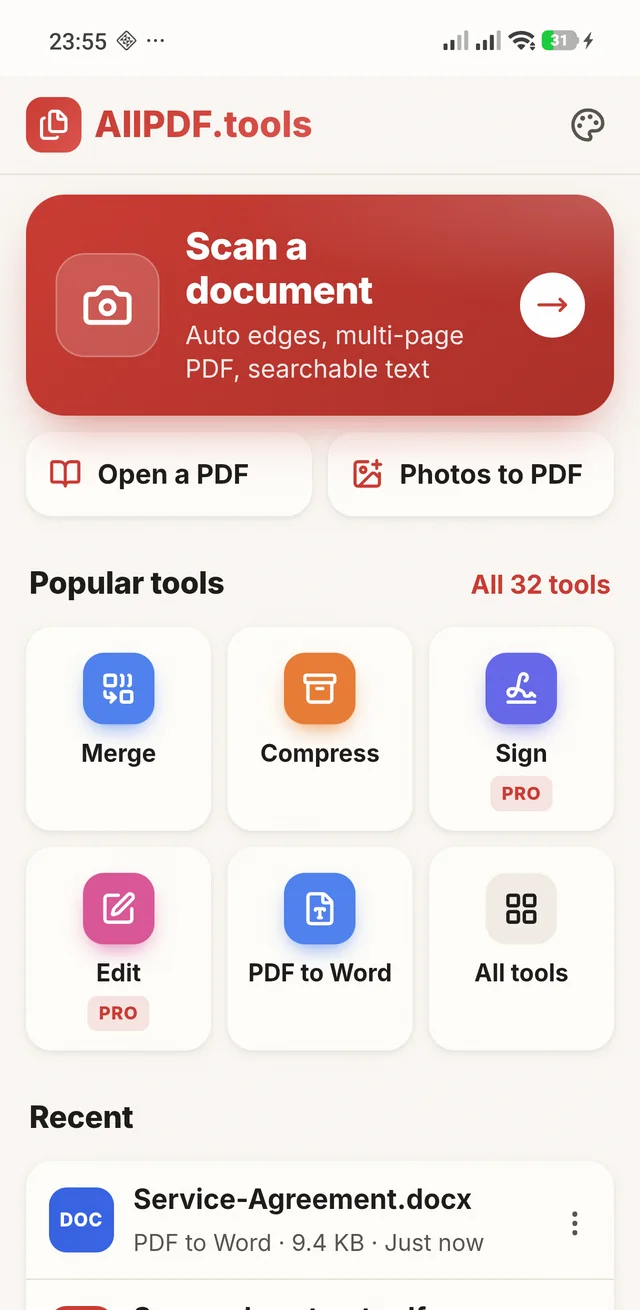
AllPDF: PDF Editor & Scanner turns your phone camera into a document scanner and puts 32 PDF tools beside it. Edit text, sign, fill forms, convert to Word, Excel and PowerPoint, compress and merge, with every file processed on the phone and nothing uploaded.
- Scan
- Merge
- Split
- Compress
- Edit
- Sign
- OCR
- PDF to Word
- PDF to Excel
- PDF to PowerPoint
- Word to PDF
- Image to PDF
- Fill forms
- Redact
- Protect
- Watermark
- Page numbers
- Crop
- Repair
- Passport photos
The PDF office in your pocket, minus the upload.
Point the camera. Get a clean PDF.
Google's ML Kit document scanner finds the page and flattens it, then AllPDF cleans it up and builds the PDF on your phone. Made for Aadhaar and PAN copies, exam forms, receipts and contracts.
- Automatic edge detection and perspective correction, with upside-down pages turned upright.
- Magic Color, black and white and grayscale filters for pages that read clearly.
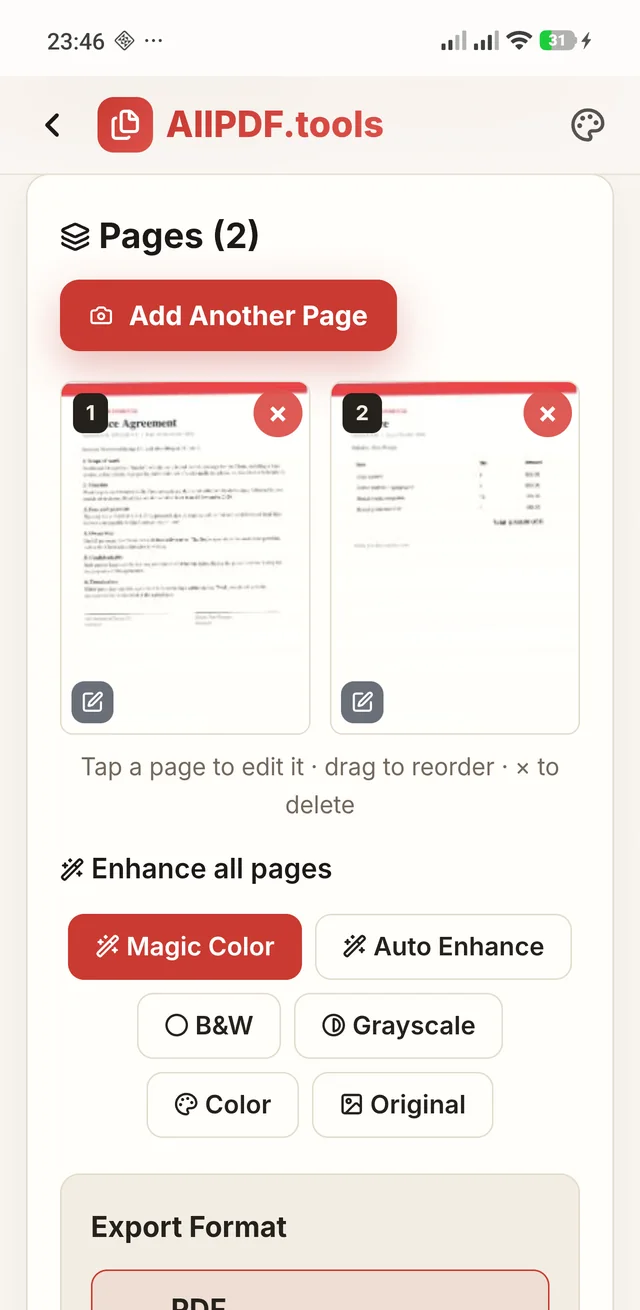
- Several pages, one PDF. Reorder them, edit one, or add another page before you save.
- Receipt, ID Card, Whiteboard, Business Card, Passport and Book modes, live auto-capture, finger removal and unlimited pages.PRO
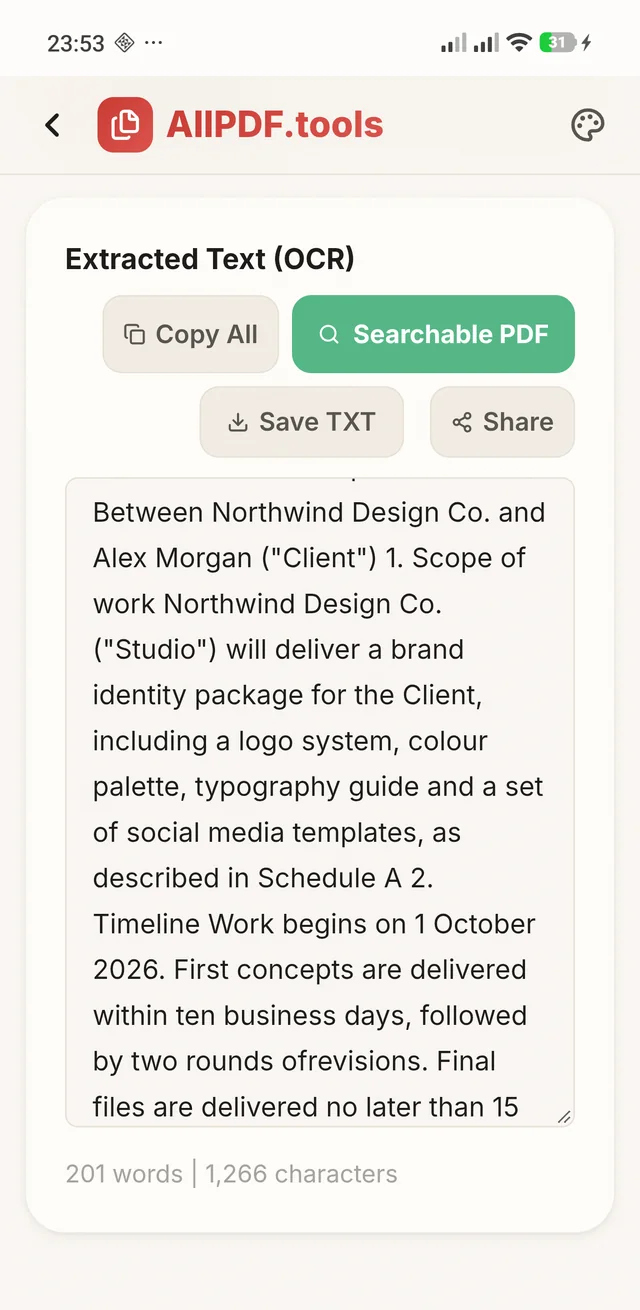
Turn a scan into text you can search and copy.
Text recognition runs on the phone, so a scanned contract becomes text without leaving your hands.
- OCR PDF makes a scanned PDF searchable, with selectable text over the original page.
- Copy the text, save it as a TXT file or share it straight from the result.
- Hindi, Tamil, Bengali, Arabic, Chinese, Japanese and Korean as well as English and other Latin-script languages. Each language downloads once, then works offline.
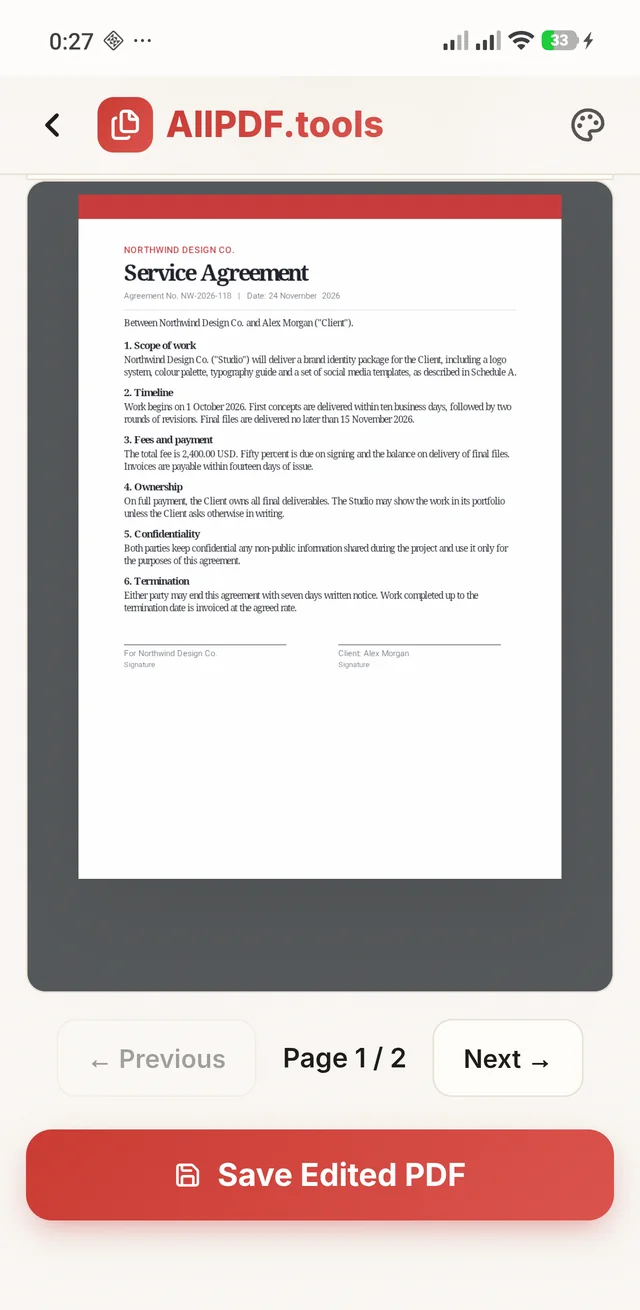
Tap a word. Change it.
Edit PDF works on the text that is already in the document, so a wrong date or a misspelt name is a tap away from fixed.
- Edit text inside a PDF, with the font, size and colour matched automatically.
- Add text, images, highlights and drawings on any page.
- Redact to black out and remove sensitive information for good.PRO
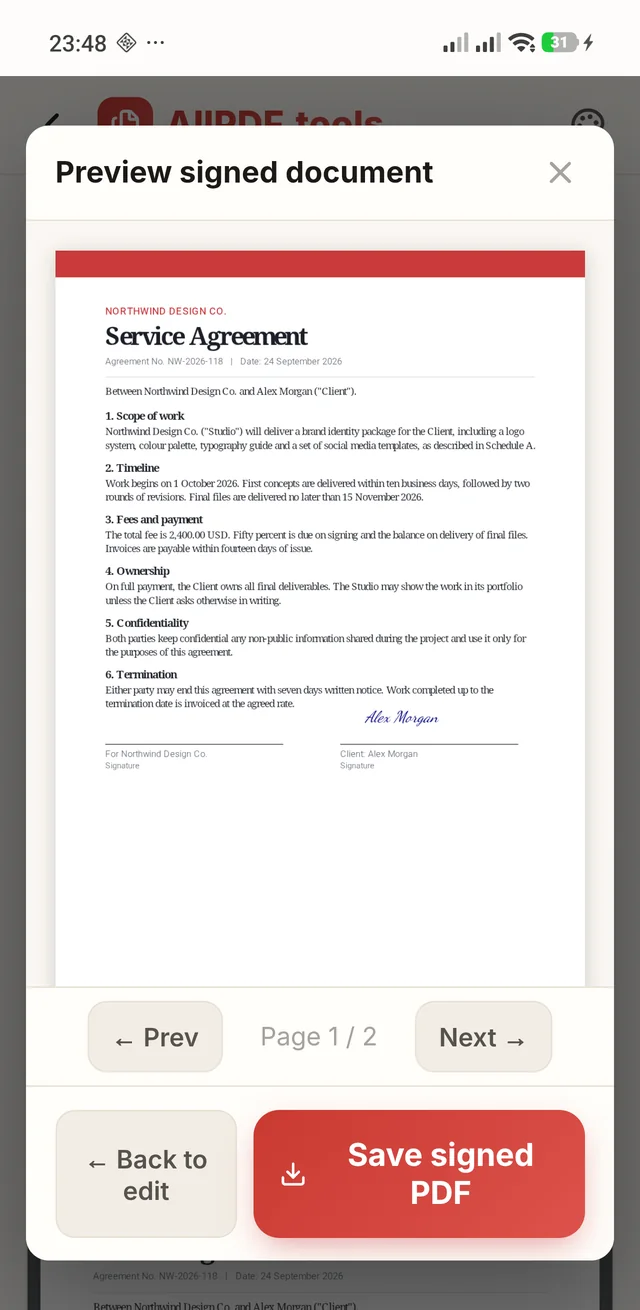
Sign a contract without printing it.
Place your signature, check every page in the preview, and save a signed PDF ready to send back.
- Draw, type or upload your signature, then place it on any page.PRO
- Fill interactive PDF forms and flatten them so the answers stay put.
- Password-protect the result with AES-256 encryption before you send it.
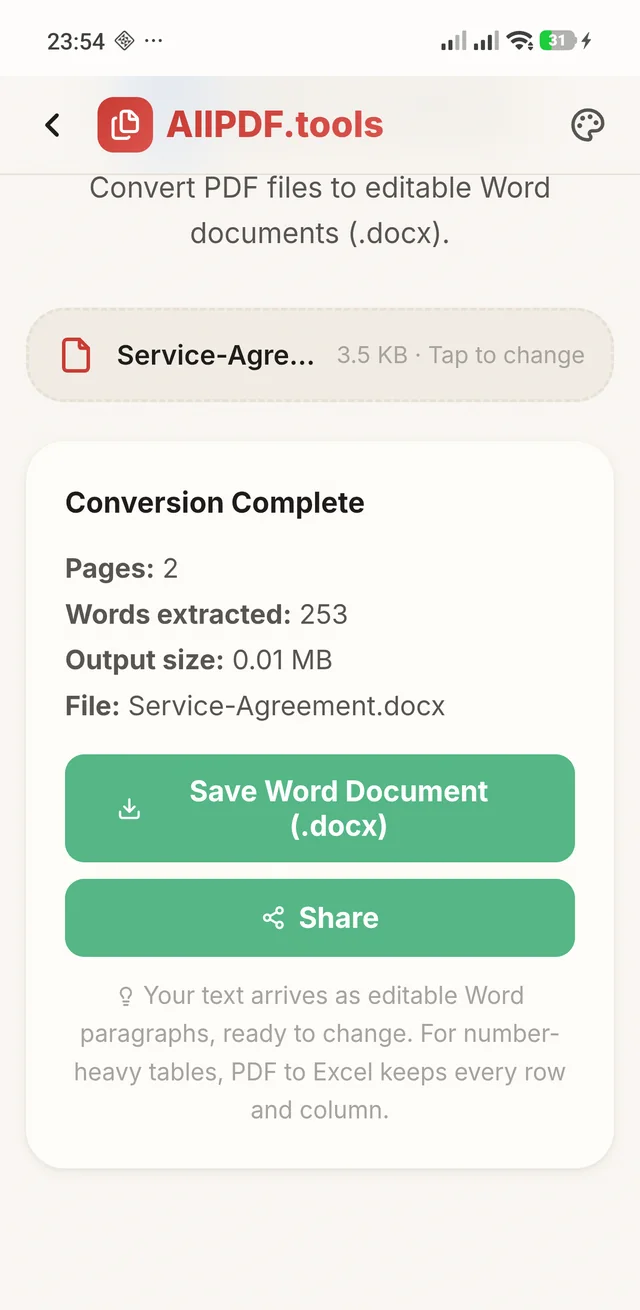
Word, Excel and PowerPoint, both ways.
Convert on the phone and keep working in the app you already use, then pick the next tool from the result screen.
- PDF to Word as editable paragraphs, and PDF to Excel with rows and columns, scanned tables included.
- Word, Excel, PowerPoint and images to PDF, plus PDF to text, JPG and PNG.
- PDF to PowerPoint turns every page into an editable slide.PRO
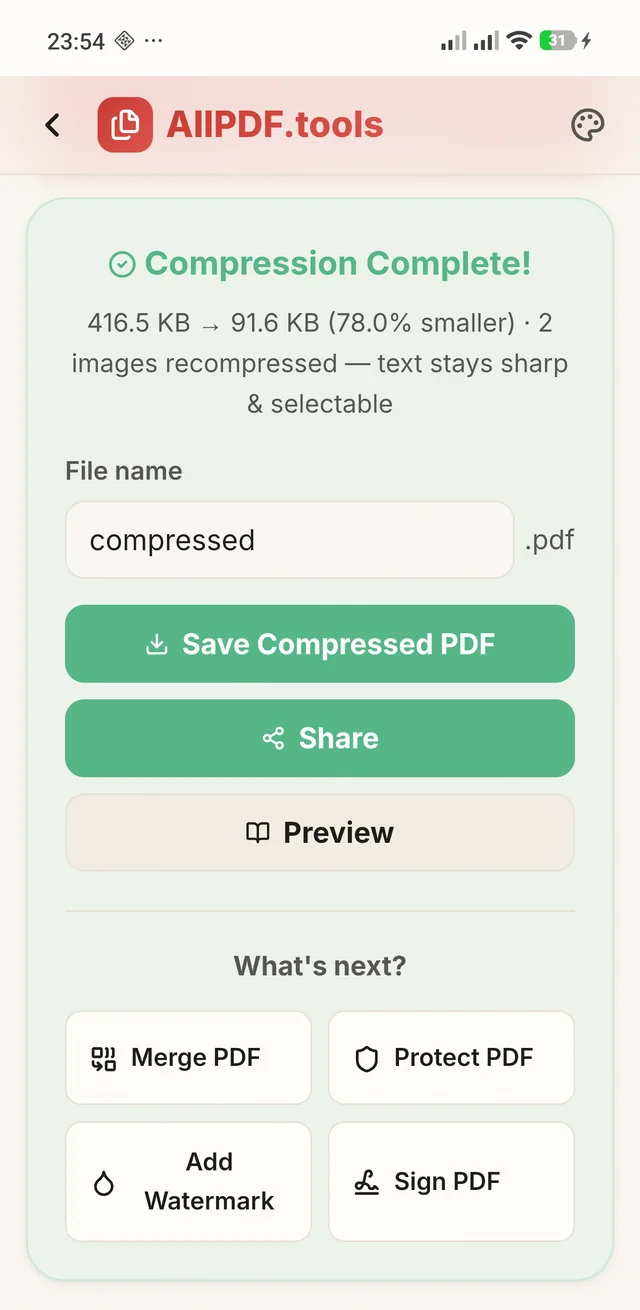
Small enough for WhatsApp. Sharp enough to read.
Compress shows the size before and after, and the text stays sharp and selectable.
- Smaller scans and image-heavy PDFs for email limits and upload forms.
- Share to WhatsApp or email in a tap, straight from the result.
- Open with AllPDF: a PDF from your file manager, WhatsApp or email opens straight in the app.
Grouped the way the app groups them.
The same tools as allpdf.tools in your browser, plus the document scanner that only the app has.
Most popular 5
- Merge PDF
- Split PDF
- Edit PDFPRO
- Compress PDF
- Sign PDFPRO
Convert 11
- PDF to Image
- Image to PDF
- PDF to Text
- OCR PDF
- PDF to Word
- PDF to Excel
- Word to PDF
- Excel to PDF
- PDF to PowerPointPRO
- PowerPoint to PDF
- Passport Photo MakerPRO
Organize 9
- Rotate Pages
- Reorder Pages
- Organise Pages
- Page Numbers
- Delete Pages
- Insert Pages
- PDF + Image
- PDF Metadata
- Crop PDF
Security and signing 5
- Add Watermark
- Redact PDFPRO
- Protect PDF
- Flatten PDF
- Fill PDF Form
Utilities 2
- Repair PDF
- PDF Reader
Scanner modes App only
- Auto
- Document
- ReceiptPRO
- ID CardPRO
- WhiteboardPRO
- Business CardPRO
- PassportPRO
- BookPRO
Small things, done all the way through.
The details that make a PDF app pleasant to keep on your home screen.
Works offline
The regular PDF tools run without internet from the first launch. OCR and the AI features download once, then work offline too.
Organise pages
Merge, split, reorder, rotate, delete and insert pages, crop them and add page numbers.
PDF reader with Night mode
Read any PDF in the built-in reader, with a Night mode for light-on-dark pages that remembers your choice.
Passport photo makerPRO
Passport and visa photos sized to the specs of 10 countries, made from a photo on your phone.
Repair and watermark
Rebuild a damaged PDF that will not open, add a watermark, flatten forms and edit metadata.
Light and dark
A light and a dark theme, recent files on the home screen, and no watermark on anything you save.
27 tools ready from the first launch. Pro when you want the rest.
AllPDF
No ads, no account, no watermarks
- 27 PDF tools: merge, split, compress, organise, protect, repair
- Convert both ways with Word, Excel, images and text, plus PowerPoint to PDF
- OCR PDF for searchable, selectable scans
- Fill PDF forms, watermark and password-protect
- The document scanner in Auto and Document modes, with every filter
- Open with and Share, and the PDF reader with Night mode
AllPDFPRO
Everything in AllPDF, plus
- Edit PDF: change text in place, add images, highlights and drawings
- Sign PDF: draw, type or upload your signature
- Redact sensitive information for good
- PDF to PowerPoint, every page an editable slide
- Passport photo maker for 10 countries
- Scanner modes: Receipt, ID Card, Whiteboard, Business Card, Passport and Book
- Live auto-capture, AI cleanup, finger removal and curve straightening
- Searchable PDFs straight from the scanner, text recognition in 11 more languages, unlimited pages and bulk import
Unlock Pro from inside AllPDF. Edit, Sign, Redact, PDF to PowerPoint and the passport photo maker can each be tried three times first. Google Play handles checkout.
Contracts, IDs and bank statements stay on your phone.
Every tool runs on the phone, and there is no AllPDF server for a file to go to. No account, no ads and no analytics SDK. Text recognition, the scanner and the AI features download their models once, then do their work on the device.
What you need, and what it handles.
- Devices
- Android phones, Android 7.0 or later
- Package
tools.allpdf.app- Tools
- 32, plus the document scanner
- Scanner
- Google ML Kit document scanner
- Text recognition
- 12 languages in the scanner, 17 with OCR PDF
- Converts
- Word, Excel, PowerPoint, images, text
- Encryption
- AES-256 password protection
- Permissions
- Camera for the scanner; storage on Android 12 and older
- Account
- None needed
- Ads
- None
- Interface
- English, light and dark themes
- Privacy
- Read the policy
Straight answers.
Are my files uploaded anywhere?
No. Every tool reads and writes your files on the phone, and there is no AllPDF server for them to go to. What the app downloads is the other way round: the models that OCR, the scanner and the AI features need, once, on first use.
Does AllPDF work offline?
Yes. The regular PDF tools work offline from the first launch. OCR, scanned-table conversion in PDF to Excel, the passport photo maker and some scanner tools download once on first use, then work offline too.
What does AllPDF Pro add?
Edit PDF, Sign PDF, Redact, PDF to PowerPoint, the passport photo maker and the advanced scanner: Receipt, ID Card, Whiteboard, Business Card, Passport and Book modes, live auto-capture, AI cleanup, finger removal, searchable scans in more languages, unlimited pages and bulk import. The other 27 tools come with AllPDF, with no watermarks.
Can I open a PDF from WhatsApp or email in AllPDF?
Yes. AllPDF registers as a PDF viewer, so it appears in the Open with menu when you open a PDF from a file manager, a mail client or a chat app. When you are done, Share sends the result back to WhatsApp or email in a tap.
Which languages can it read in a scan?
The scanner reads English, Hindi, Tamil, Bengali, Arabic, Spanish, French, German, Japanese, Chinese (Simplified and Traditional) and Korean; English comes with AllPDF and the rest with Pro. The OCR PDF tool adds Portuguese, Italian and Russian, and English paired with Hindi, Tamil, Bengali, Telugu or Marathi for bilingual pages.
Is it the same as allpdf.tools?
It is the same set of 32 tools as allpdf.tools, running inside an app on your phone, plus the document scanner and Open with. The app has no ads. More about AllPDF.tools.
Where do I get AllPDF?
On Google Play, as AllPDF: PDF Editor & Scanner, published by JK Codes, for Android 7.0 or later.
How do I get support?
Email support@jkcodes.app with the tool you used, your phone and Android version, and what happened. Do not attach a confidential document unless you are comfortable doing so.
Scan it, sign it, send it. From your phone.
Get AllPDF: PDF Editor & Scanner on Google Play.
The document in the screenshots is a sample made for them. Google Play, Android and ML Kit are trademarks of Google LLC. Word, Excel and PowerPoint are trademarks of Microsoft Corporation, used only to describe compatible file formats.